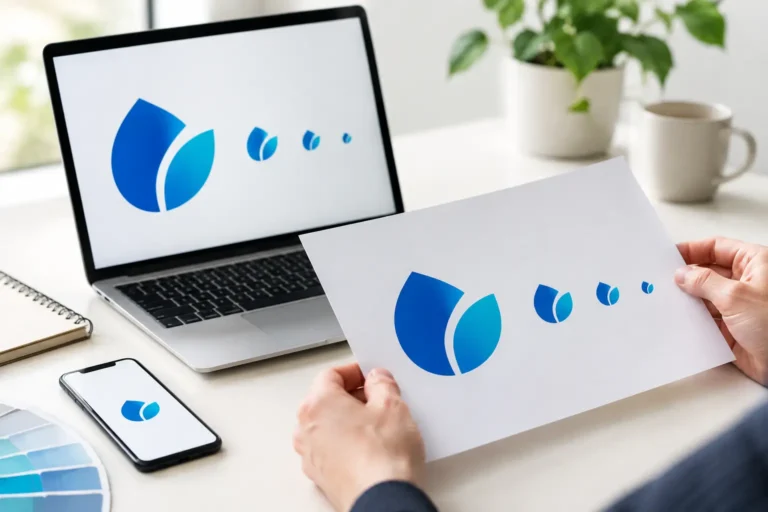

A logo that looks crisp on your website can turn blurry on a storefront sign, trade show banner, or embroidered shirt. The difference often comes down to raster versus vector files. Understanding both gives you more control over your brand and helps you avoid paying for artwork that cannot do the job you need.
For small businesses, this is not a technical detail reserved for designers. It affects whether your logo looks professional on every customer touchpoint, from a social media post to a business card to vehicle graphics.
Raster Versus Vector: The Core Difference
Raster images are made from a grid of tiny colored squares called pixels. A photograph is the most familiar example. When you zoom in far enough, those individual pixels become visible. Common raster file formats include JPG, PNG, GIF, TIFF, and PSD.
Vector graphics are built with mathematical paths, points, curves, and shapes instead of pixels. Because the artwork is defined by instructions rather than a fixed pixel grid, it can be enlarged or reduced without losing clarity. Common vector formats include AI, EPS, SVG, and some PDFs.
The practical distinction is simple: raster files have a set resolution, while vector files can scale to nearly any size. A raster logo may look excellent at 500 pixels wide but soften or pixelate when enlarged for a billboard. A vector logo can be used at 50 pixels wide for a browser icon or 50 feet wide for signage while retaining clean edges.
That does not make vector automatically better for every visual. It means each format has a specific job.
When Raster Files Are the Right Choice
Raster files excel at detail, texture, shading, and photographic realism. Product photography, team headshots, lifestyle imagery, digital ads, and social media graphics are typically raster-based because those visuals contain subtle color changes that are difficult to recreate as vectors.
A JPG is often useful for website images because it can keep photo file sizes manageable. A PNG is a common choice when you need a transparent background, such as placing a logo or product image over a colored section of a website. However, a transparent PNG logo is still a raster file. It may work perfectly for everyday digital use, but it is not a replacement for the original vector artwork.
Resolution matters with raster. It is usually measured in pixels for screens and dots per inch, or DPI, for print. A 300 DPI image is generally appropriate for high-quality print at its intended dimensions. But increasing the DPI setting later does not create missing detail. If the source image is too small, stretching it larger simply spreads the existing pixels across more space.
For example, a 600-by-600-pixel PNG may look fine as a profile image. It is unlikely to produce a sharp 24-inch window decal. Starting with the right source file is far more reliable than trying to repair a low-resolution image after the fact.
Why Your Logo Should Start as a Vector
A professional logo needs to work in places you may not be thinking about yet. Your business may begin with a website, social profiles, and invoices. As you grow, you might need apparel, packaging, direct mail, promotional products, presentation materials, event signage, or a refreshed storefront.
A vector logo gives you the flexibility to say yes to those opportunities without rebuilding your brand mark. A printer can size the file for a letterhead or a large-format sign. An embroidery vendor can use it as a clean source for digitizing. A web designer can export the proper digital version for your site.
Vector files also support cleaner color management. Designers can define logo colors as specific spot colors, CMYK values for print, and RGB or hexadecimal values for screens. That makes it easier to keep the blue in your logo looking like the same blue across business cards, branded apparel, and online marketing.
At Logoworks, final logo deliverables are designed to give business owners usable brand assets, not just a preview image. Full ownership matters, but so does having the correct file types ready when a new opportunity or vendor request arrives.
Vector Does Have Limits
Vectors are ideal for logos, icons, type treatments, simple illustrations, line art, diagrams, and brand patterns. They are not the best answer for every image.
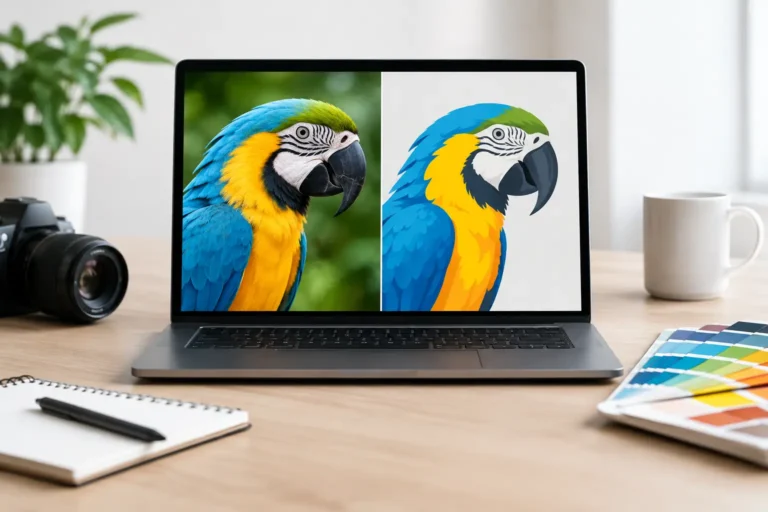
A detailed photograph converted into vector paths can become extremely complex, large in file size, and visually unnatural. The result may resemble a stylized illustration rather than the original photo. That can be a compelling creative choice, but it is not a practical way to preserve photographic detail.
Some logo designs also include raster elements, such as a textured background or a photographic effect. In those cases, the logo may be delivered in both formats, with clear guidance on where each version should be used. The goal is not to force every brand element into one format. It is to make sure each asset is fit for purpose.
File Types Business Owners Will See Most Often
You do not need to become a production expert, but recognizing a few file formats can prevent unnecessary confusion.
An AI file is an editable Adobe Illustrator working file and is commonly used by professional designers. EPS is a widely accepted vector format that many print vendors request. SVG is a vector format especially useful for websites and digital interfaces because it stays sharp at different screen sizes. A PDF can contain vector artwork, raster artwork, or both, so it is worth confirming what is inside before treating it as a scalable logo file.
On the raster side, JPG files are best suited to photos and images where transparency is not needed. PNG files are useful for digital logo placements and graphics that need a transparent background. TIFF files are high-quality raster files commonly used in print workflows, while PSD files are editable Adobe Photoshop files.
A file extension alone is not a guarantee of quality. A PDF might contain a small, low-resolution JPG. An SVG may technically be vector but include embedded raster images. When you are sending artwork to a printer, asking whether they need a vector logo or a high-resolution raster image is a smart, straightforward question.
What to Request From Your Designer
When your logo is complete, you should receive more than one file. A single JPG may be enough to post an image online, but it will not cover the full range of business uses.
At a minimum, request editable vector source files, print-ready vector files, and web-ready versions of your logo. You should also have color, black, and white versions, plus files designed for light and dark backgrounds. If your logo includes an icon and a full business name, separate horizontal, stacked, and icon-only arrangements can make future marketing much easier.
Keep the original files organized in one accessible folder. Name them clearly by format and use, such as “CompanyName-Logo-Color.eps” or “CompanyName-Logo-White.png.” This small step saves time when a vendor asks for assets on a deadline.
It also helps to keep a basic brand guide with your approved logo variations, color values, fonts, and usage rules. Consistency is one of the fastest ways to make a growing business appear established and credible.
Choosing the Right Format for Common Brand Needs
For a website logo, SVG is often the strongest choice because it remains sharp across screen sizes and high-resolution displays. For an email signature or a social media profile, a properly sized PNG is usually practical. For brochures, business cards, signage, and promotional products, EPS, AI, or a verified vector PDF is often the right starting point.
For photography on your website or in marketing materials, use high-quality JPG, PNG, or TIFF files as appropriate. The right format depends on the image content, desired quality, background transparency, and where it will appear.
If a vendor asks for “a high-res logo,” do not assume they only want a larger PNG. Ask what application they are producing and whether a vector EPS, AI, SVG, or PDF would be preferable. That quick conversation can prevent fuzzy print results, delayed production, and costly rework.
Build for the Brand You Are Becoming
The best time to secure the right logo files is when your identity is created or refreshed, not when a printer needs artwork tomorrow morning. Raster files give your brand rich imagery and flexible digital visuals. Vector files protect the clarity and adaptability of the identity customers will remember.
Treat your logo as a long-term business asset, not a one-time graphic. With the right mix of files in hand, your brand can show up clearly and confidently wherever your next customer finds it.